

Recording Shorts and finishing them in Studio
Shorts are full-screen vertical videos. Record with CrowOn's camera, or bring your own clips into Studio and edit there.
Record with the camera
Open it from +›Record.
- Length
- Choose 15 seconds or 60 seconds before you start. You can record in several takes.
- Timer
- Starts recording a few seconds after you press.
- Filters
- Apply them while recording.
- Face effects
- They run on your device; video of your face is never sent to CrowOn. Green screen is here too.
When you finish, it moves to Studio. Camera help
Edit in Studio
Open it from +›Short video. Change the aspect ratio with the 9:16 control at the top.
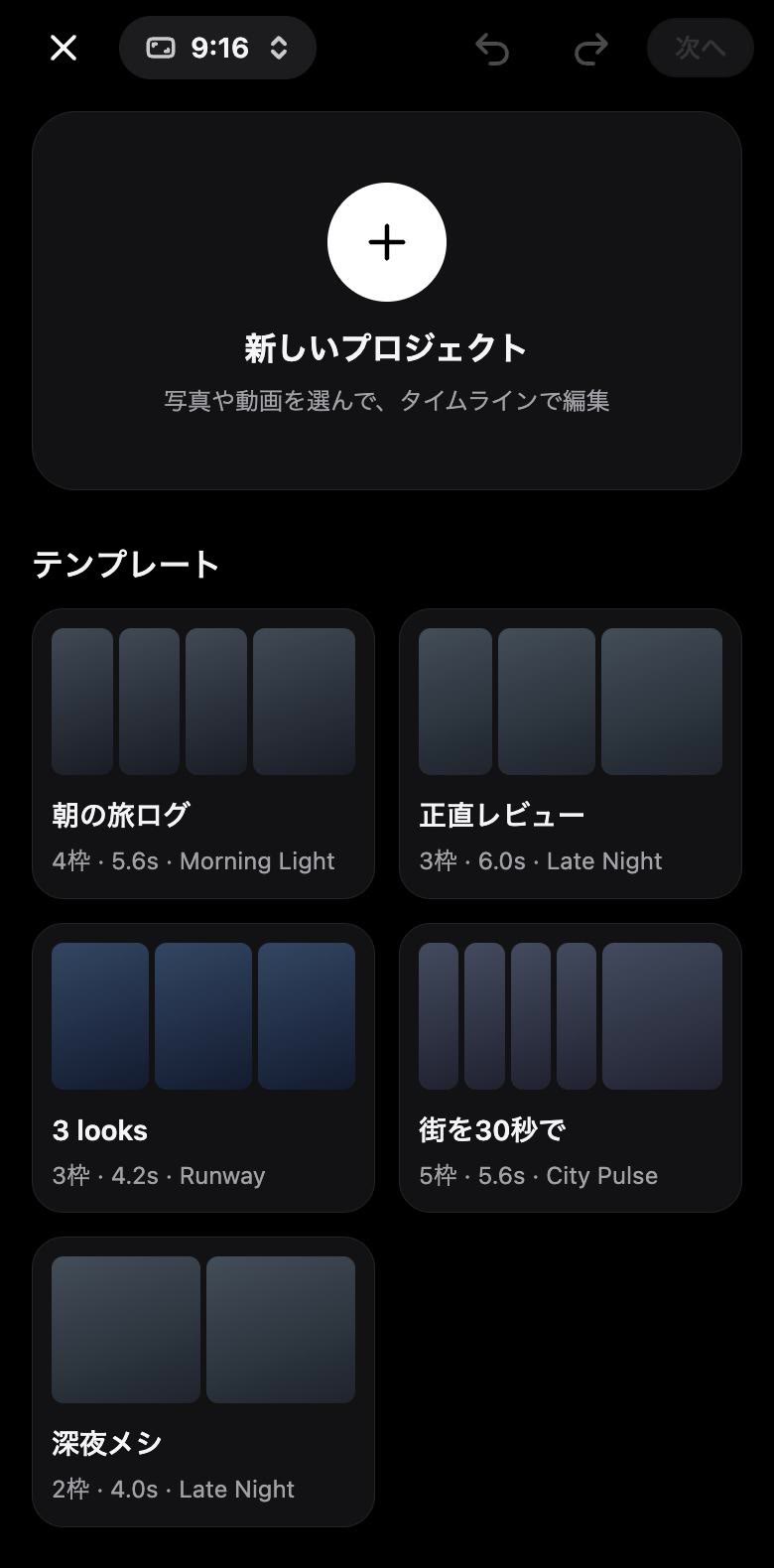
New project lets you pick photos and videos and edit on a timeline. There are five templates; one has 4 slots and runs 5.6 seconds. Drop your clips in and the slot lengths and cuts are set for you.
What editing can do
- Remove silence
- Finds the parts where nobody speaks and cuts them.
- Cut to the beat
- Reads the song's tempo (BPM) and lines cuts up with the beat.
- Stabilise
- Checks for shake and steadies it.
- Even out volume
- Matches loudness across clips.
- Auto captions
- Captions from what's said, made on CrowOn's own server. Tap to fix any line.
- Voiceover
- Record your voice over the video.
- Text and stills
- Add text and overlays, and drop in still images.
Choose Save to drafts when you close, and pick it up later from Drafts in Studio. Studio help
Sounds
Tap a Short's sound to see every video using it. Use this sound opens Studio with it. Songs from CrowOn MUSIC can be used only when the artist allows use in videos. Sounds help
Remix
Posts that allow it can be remixed side by side, stacked, picture in picture or on a green screen. A link to the original and its creator's name are added for you. Decide whether your own posts can be remixed in Settings›Posts & sharing›Allow remixes.
On the viewer's side
Viewers can change the speed (0.5x to 2x) or keep captions on with Settings›Shorts›Always show captions. Captions help people watch where they can't play sound.
Screens are from CrowOn on the web. The iPhone app has the same settings under the same names.
Read next:How recommendations work, and how to read your insights