
Settings that protect your account and comments
The more people see you, the more these settings matter. Here's where each one lives, using the app's own names.
Protect your login
These are in Settings›Account & login.
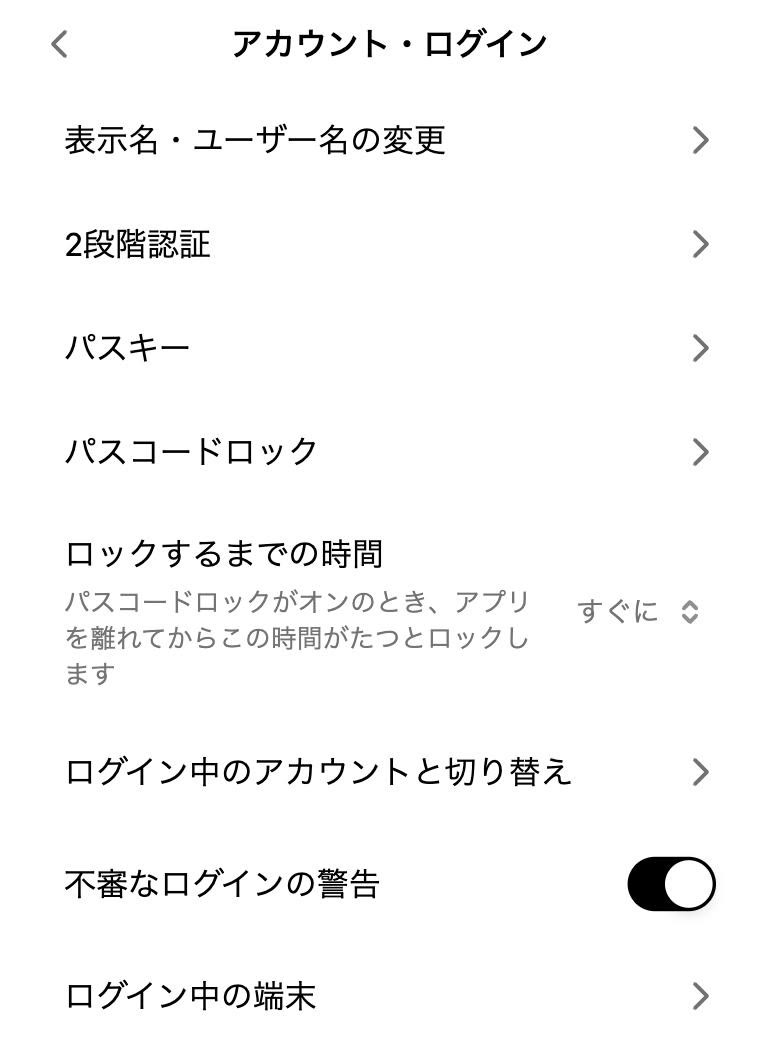
- Two-factor authentication
- Confirm with an authenticator app code as well as your password. Two-factor help
- Passkeys
- Sign in with just Face ID or your fingerprint. Passkey help
- Passcode lock
- Asks for a 4-digit code every time CrowOn opens, on that device only. Lock after: immediately, 1 minute, 5 minutes or 1 hour.
- Suspicious login alerts
- Tells you about sign-ins from a new device. On from the start.
- Devices
- Sign out any device you don't recognise.
Keep comments in shape
These are in Settings›Privacy & visibility.
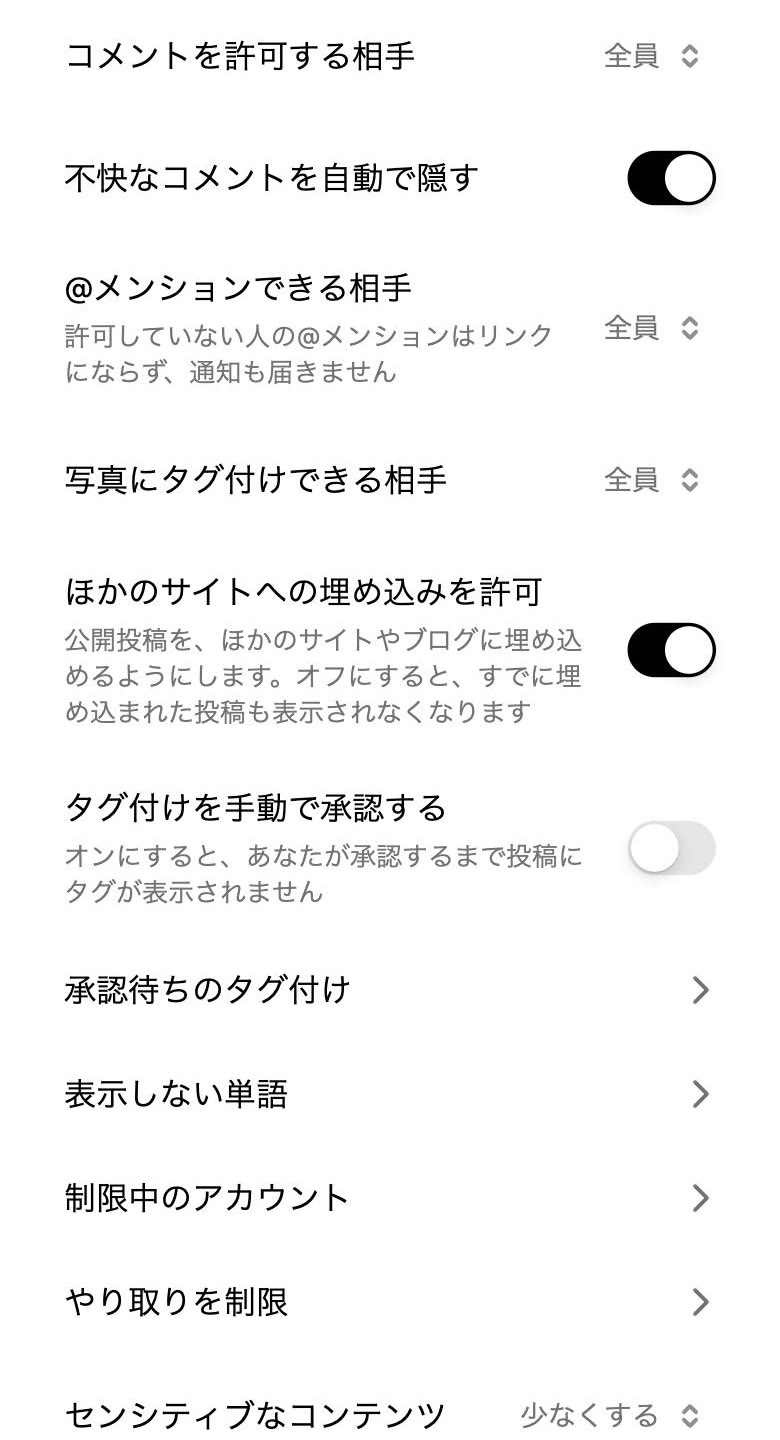
- Who can comment
- Everyone, people you follow, friends only or nobody. You can also turn comments off on a single post.
- Hide offensive comments
- On from the start.
- Who can @mention you
- Mentions from people you haven't allowed don't link and don't notify you.
- Approve tags manually
- Tags don't show on posts until you approve them.
- Hidden words
- Posts and comments with the words you choose are hidden. Help
- Restricted accounts
- A restricted person's comments are visible only to them, and their DMs go to requests.
- Limit interactions
- For a while, stop comments and DMs from people you don't know. For when attention arrives suddenly.
Protect your work
- Copyright and safety check before posting
- Turn it on in Settings›Create & camera and photos and videos are checked before they go up; you're told first if something looks like a problem.
- Allow saving photos and videos
- In Settings›Posts & sharing, choose whether others can save your photos and videos.
- Copyright and impersonation
- Report it when someone uses your work without permission or pretends to be you. How to report
Screens are from CrowOn on the web. The iPhone app has the same settings under the same names.